Wero
Wero is a European digital wallet launched under the European Payments Initiative (EPI). It allows shoppers across participating EU countries to pay directly from their bank accounts through their bank app or Wero wallet, enabling easy account-to-account payments with strong authentication.
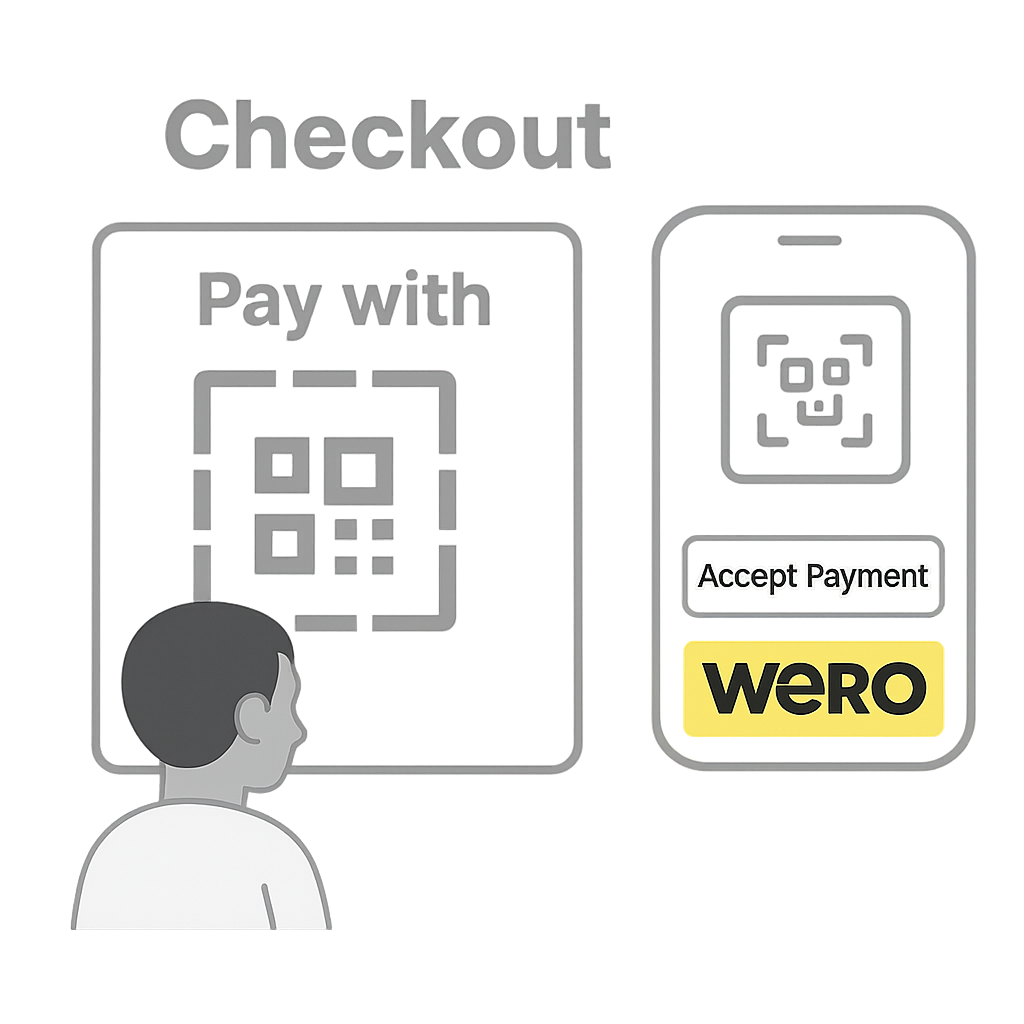
EU-wide Digital Wallet
Shoppers approve payments in the participating banks app or Wero wallet app, linked directly to their bank accounts.
- Pan-European coverage
- Strong shopper authentication
- Unified user experience across banks
Details
Capabilities
- Delayed capture is possible upto 10 days after the original authorization.
- Partial refunds are applicable to pre-dispute reolutions only.
Flows
Wero Onboarding
This flow works for ONE_TIME , RECURRING , and TOKEN_ONLY transaction types.
Steps
- Shopper selects Wero wallet at checkout.
- Merchant Initiates Payment with Nopan.
- Nopan creates a payment intent with Wero.
User might be presented with a QR code or if not recognized with a bank selection page.
- Shopper receives a push notification in the Bank app or Wero wallet app.
- Shopper approves with strong authentication (PIN, biometrics, or device-based authentication).
Depending on the flow user might see different details about the transaction.
- Wero notifies Nopan, and user is redirected back to the merchant.
- Once Nopan confirms the consent it will trigger an authorization and enable capturing the money.
Integration
- Direct API
- Drop-in
Send a POST /payments/initiate request to Nopan with the following format:
{
  "processingAccountId": "merchant-1234",
  "clientTransactionId": "client-txn-54c8c9bc",
  "returnUrl": "https://api.merchant.callback?ref=order-1234",
  "transactionType": "ONE_TIME",
  "paymentDetails": {
    "amount": 75,
    "currency": "EUR",
    "country": "DE",
    "description": "Product ID 1234 purchase"
  },
  "providerDetails": {
    "providerId": "WERO"
  },
  "payerDetails": {
    "payerId": "payerUUID"
  },
  "requestContext": {
    "ipAddress": "203.0.113.45",
    "userAgent": "Mozilla/5.0 (Macintosh; Intel Mac OS X 10_15_7) AppleWebKit/537.36",
    "channel": "WEB",
    "deviceId": "device-11223",
    "locale": "de-DE"
  },
  "metadata": {
    "orderId": "12345",
    "customerId": "cust-789",
    "checkoutVersion": "v2.1"
  }
}
returnUrl and payerId fields are mandatory.
Drop-in components are currently in development.
Wero will automatically appear in your checkout when eligible. No additional configuration is required for most integrations.
Wero Recurring
This flow works only with RECURRING transaction types.
Steps
- Merchant sends Nopan a Charge Request.
- Nopan processes the recurring payment with Wero.
- Bank authorizes the debit, and Nopan confirms the result to the merchant.
Integration
- Direct API
- Drop-in
Send a POST /payments/charge request to Nopan with the following format:
{
  "clientTransactionId": "order123",
  "transactionType": "RECURRING",
  "paymentDetails": {
    "amount": 200,
    "currency": "EUR",
    "country": "DE",
    "description": "Product ID 1234 purchase"
  },
  "providerDetails": {
    "providerId": "WERO"
  },
  "payerDetails": {
    "payerId": "payerUUID",
    "paymentToken": "paymentTokenUUID"
  }
}
paymentToken or payerId is required.
Drop-in only available for a ONE_TIME flow.
Testing
Leverage Nopan Mocking framework to test your Wero integration with Nopan. Alternatively merchant can request to register with Wero testing portal to test end-to-end payment with Wero.
Contact Nopan if you would like to register with Wero testing portal. You will need:
- Email address.
- Use cases you would like to test
You can also choose to mock the behaviour with Nopan directly. See Mocking for more details.
Error Codes
For a full list of Nopan error codes, see Error Handling.
Wero errors follow RFC7807 Problem Details.
They always include a static title, an HTTP status, a unique callId, and optional detail or violations.
This means that Wero doesn't use copmany specific error codes but rather a combination of HTTP status codes + additional context.
Nopan is combining that additional context into consumable error to map it internally.
Requirements
- Shopper must use participating bank app or the Wero wallet app linked to a participating bank.
- Recurring payments require explicit shopper consent.
Learn More
Learn more about Wero and the European Payments Initiative on EPI official site and Wero.